Documentation Index

Fetch the complete documentation index at: https://discountkit.app/llms.txt

Use this file to discover all available pages before exploring further.

Quick Start: Best Discount Badge

The simplest way to show a discount badge using the max_reward_percent or max_reward_cents scalar metafields.
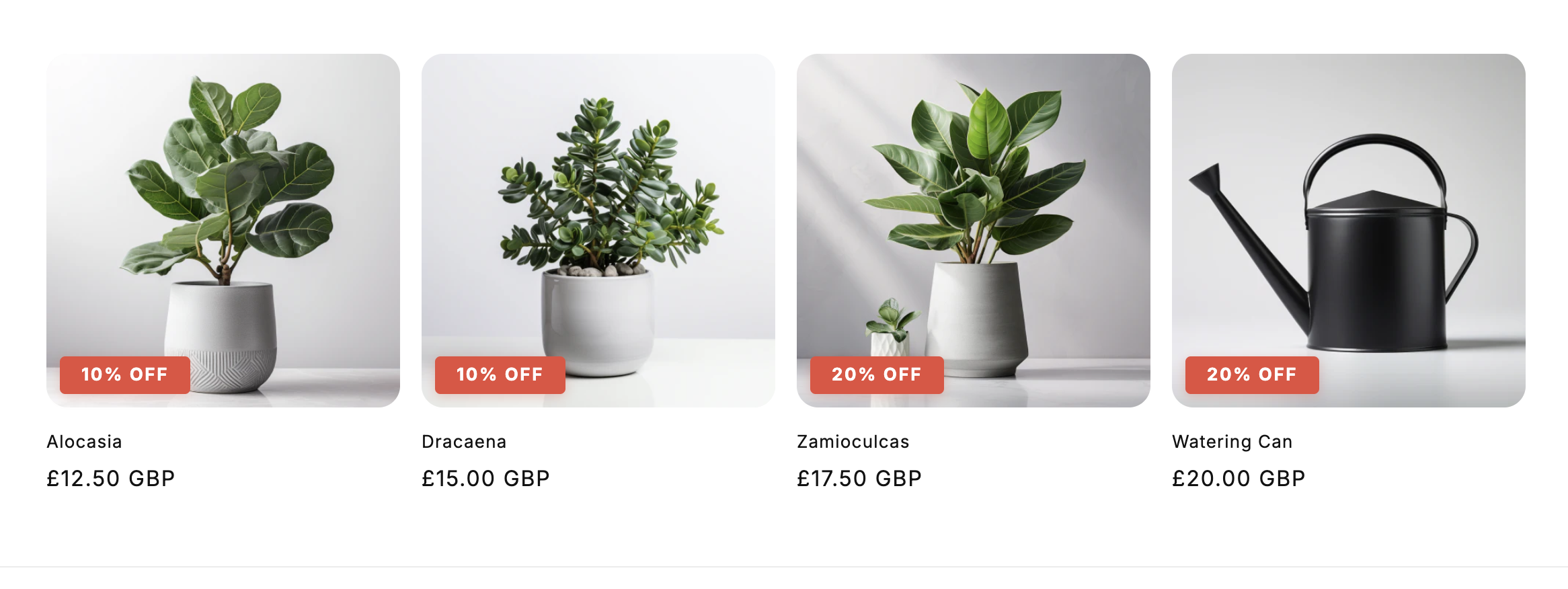
Product card with red '20% OFF' badge in top-right corner
This approach is simpler than parsing the full discounts array and automatically shows the best available discount.

Best Discount with Title

Show both the discount value and title using max_reward_discount:
{% assign percent_off = product.metafields.app--9549316097--discount_kit.max_reward_percent.value %}
{% assign best_discount = product.metafields.app--9549316097--discount_kit.max_reward_discount.value %}

{% if percent_off and best_discount %}
  <div class="promo-banner">
    <strong>{{ best_discount.discount_title }}</strong>
    <span>Save {{ percent_off | round }}%</span>
  </div>
{% endif %}

Sales Badges

Simple Percentage Badge

Product card with red '20% OFF' badge in top-right corner

Pricing Display

Crossed-Out Original Price

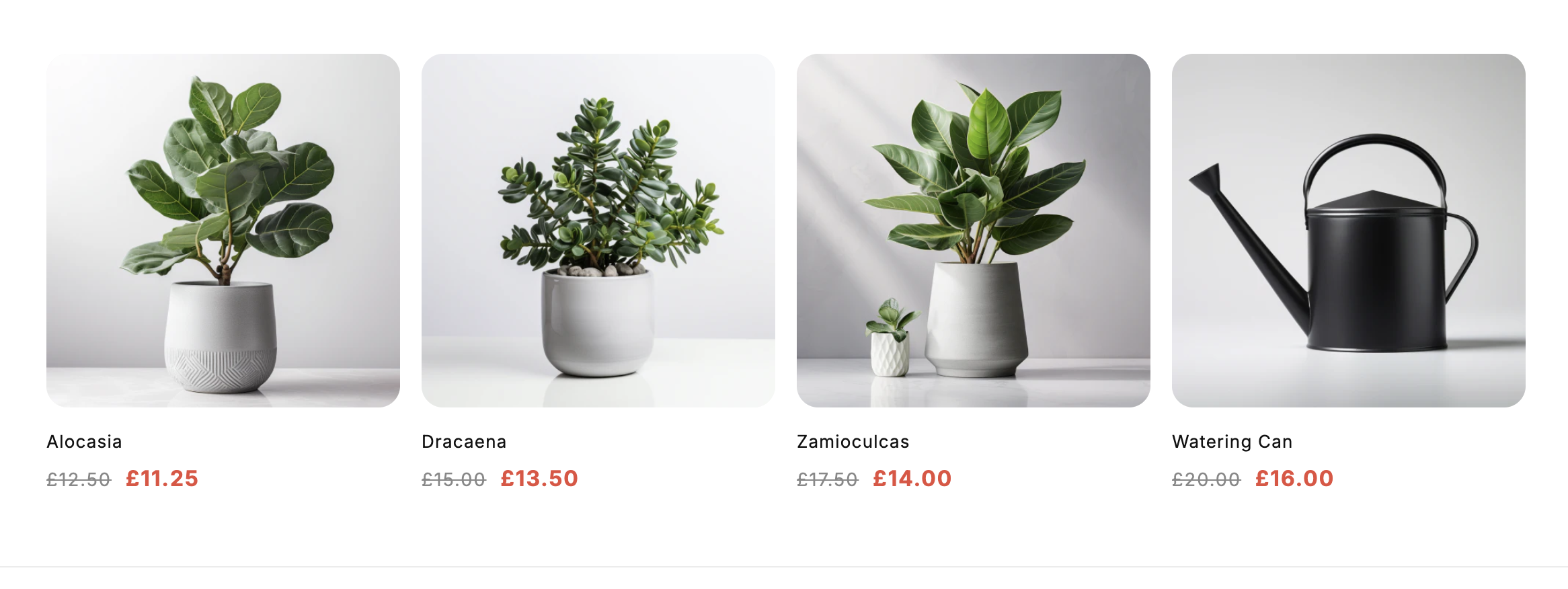
Product pricing showing original price crossed out in gray and sale price in red

Volume Pricing Table

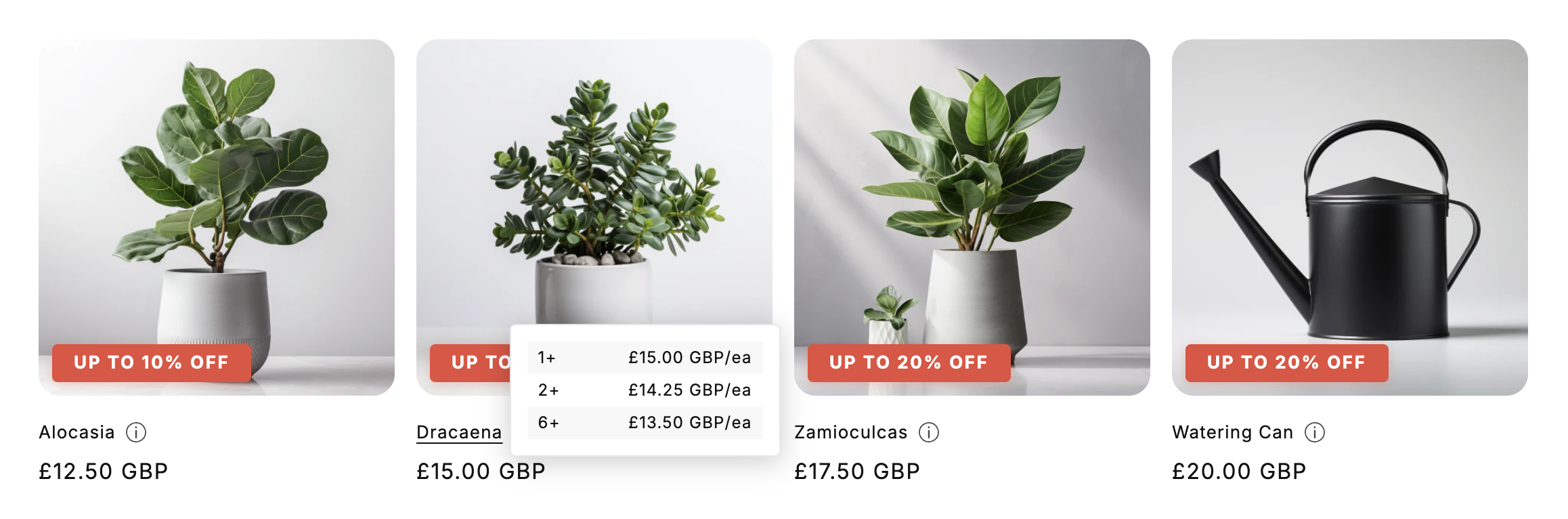
Product with info icon next to title and volume pricing popup showing quantity tiers and discounted prices

Discount Codes

Discount Kit Live surfaces both automatic discounts (applied at checkout when conditions are met) and code-based discounts (the shopper enters a code). The method and code fields let you render the right UI for each.

Render a Code Chip with Copy-to-Clipboard

For code-based discounts, show the code with a copy button instead of an “applied automatically” badge.
{% assign discounts = product.metafields.app--9549316097--discount_kit.discounts.value %}

{% for discount in discounts %}
  {% if discount.method == 'code' and discount.code != blank %}
    <div class="discount-code-chip">
      <strong>{{ discount.discount_title }}</strong>
      <span>Use code:</span>
      <button
        type="button"
        data-discount-code="{{ discount.code | escape }}"
        onclick="navigator.clipboard.writeText(this.dataset.discountCode); this.textContent = 'Copied!'">
        {{ discount.code }}
      </button>
    </div>
  {% endif %}
{% endfor %}
Use <button> rather than rendering the code as plain text so it’s keyboard-accessible. Set data-discount-code from Liquid so the copy handler reads the raw value (not the visible label, which you may want to obfuscate or shorten).

Hide a Code If It’s Already Applied

Once a shopper has the code in their cart, the chip is just noise. Check cart.discount_applications to detect already-applied codes and hide the chip accordingly. cart.discount_applications is a Shopify-native array of every discount currently affecting the cart. Each entry has a title (for automatics) or a code (for DiscountCodeApplication entries). For code discounts you compare against application.code.
{%- comment -%}
  Build a Set-like map of code strings currently applied to the cart.
  Liquid doesn't have Sets, so we use a comma-joined string and `contains`.
{%- endcomment -%}
{% capture applied_codes %}
  {%- for application in cart.discount_applications -%}
    {%- if application.type == 'discount_code' -%},{{ application.code | downcase }},{%- endif -%}
  {%- endfor -%}
{% endcapture %}

{% assign discounts = product.metafields.app--9549316097--discount_kit.discounts.value %}

{% for discount in discounts %}
  {% if discount.method == 'code' and discount.code != blank %}
    {% assign needle = ',' | append: discount.code | downcase | append: ',' %}
    {% unless applied_codes contains needle %}
      <div class="discount-code-chip">
        <strong>{{ discount.discount_title }}</strong>
        <span>Use code <code>{{ discount.code }}</code></span>
      </div>
    {% endunless %}
  {% endif %}
{% endfor %}
The , wrappers around each code prevent partial matches: e.g. SALE shouldn’t match SUMMERSALE10. The comparison is downcased on both sides because Shopify treats discount codes case-insensitively at checkout.

Mix: Auto-Applied vs Code-Entry Badge

Render different UI depending on how the discount is redeemed:
{% assign discounts = product.metafields.app--9549316097--discount_kit.discounts.value %}

{% for discount in discounts %}
  {% if discount.method == 'automatic' %}
    <span class="badge badge--auto">
      {{ discount.maximum_reward_value | round }}% off — auto-applied
    </span>
  {% elsif discount.method == 'code' and discount.code != blank %}
    <span class="badge badge--code">
      {{ discount.maximum_reward_value | round }}% off with code
      <code>{{ discount.code }}</code>
    </span>
  {% endif %}
{% endfor %}

Collection Banners

Simple Collection Promo

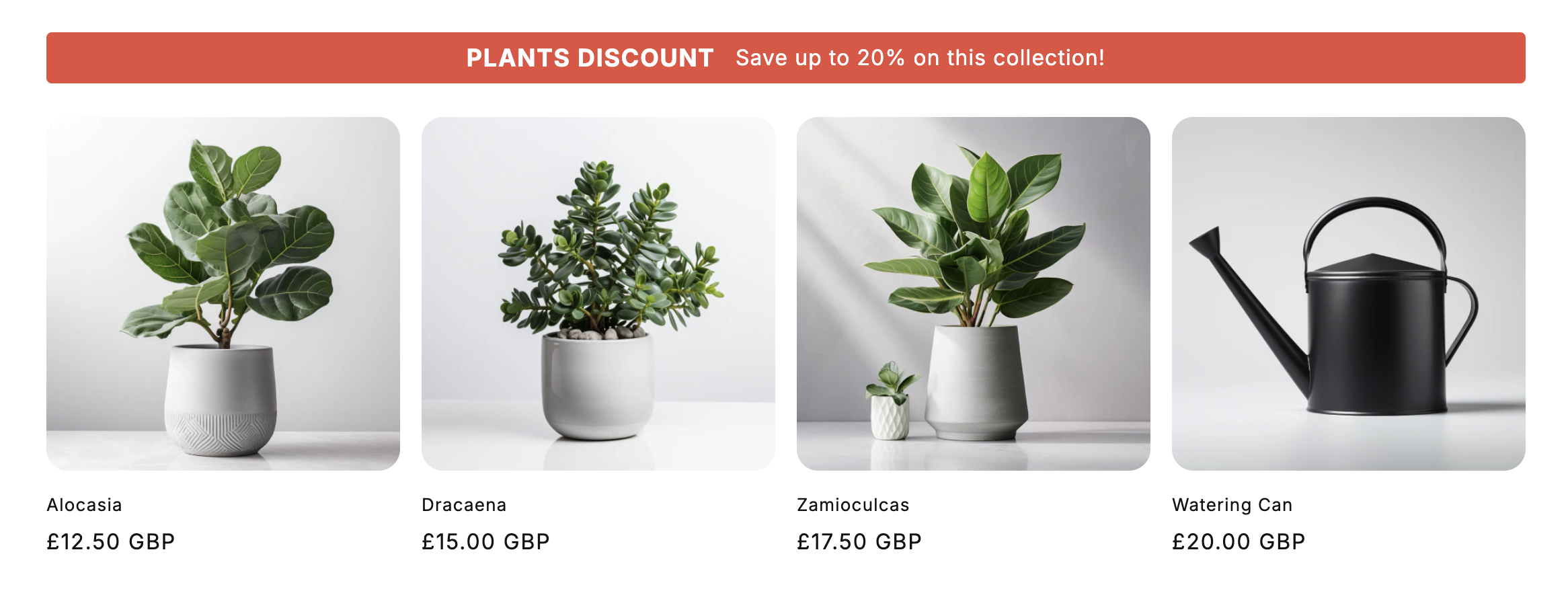
Collection page with red banner displaying 'PLANTS DISCOUNT Save up to 20% on this collection!'

Next Steps

Data reference

Complete field documentation

Introduction

Learn about Discount Kit Live